(support@attackshark.com)



ATTACK SHARK X820 ULTRA
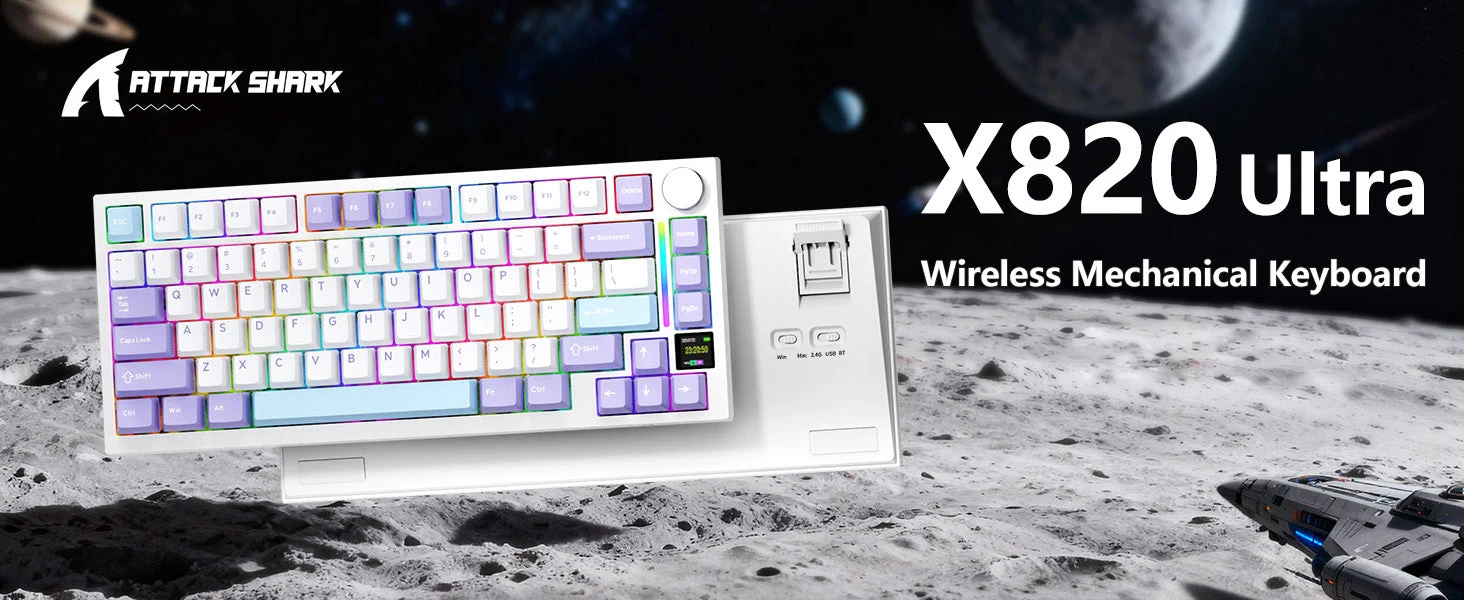
A 75% wireless mechanical keyboard with a TFT display, metal knob and hot-swappable switches.
- 0.85-inch TFT screen and CNC control knob
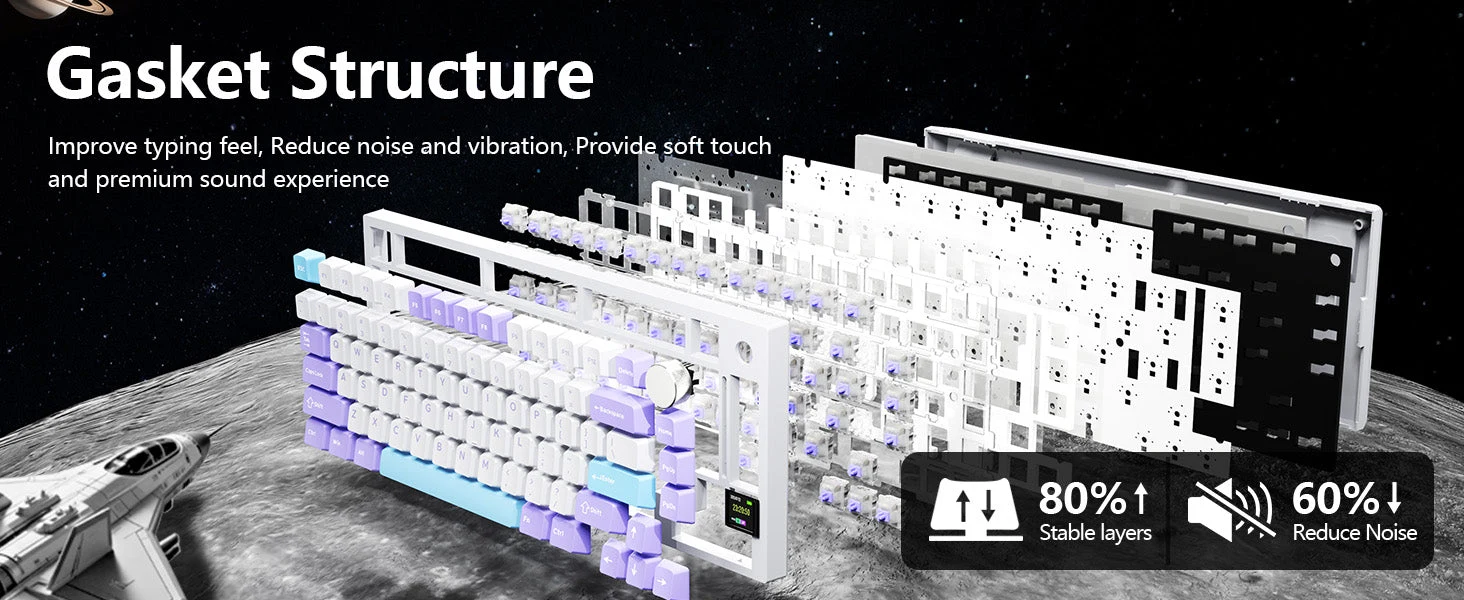
- Gasket-mounted 75% ANSI layout
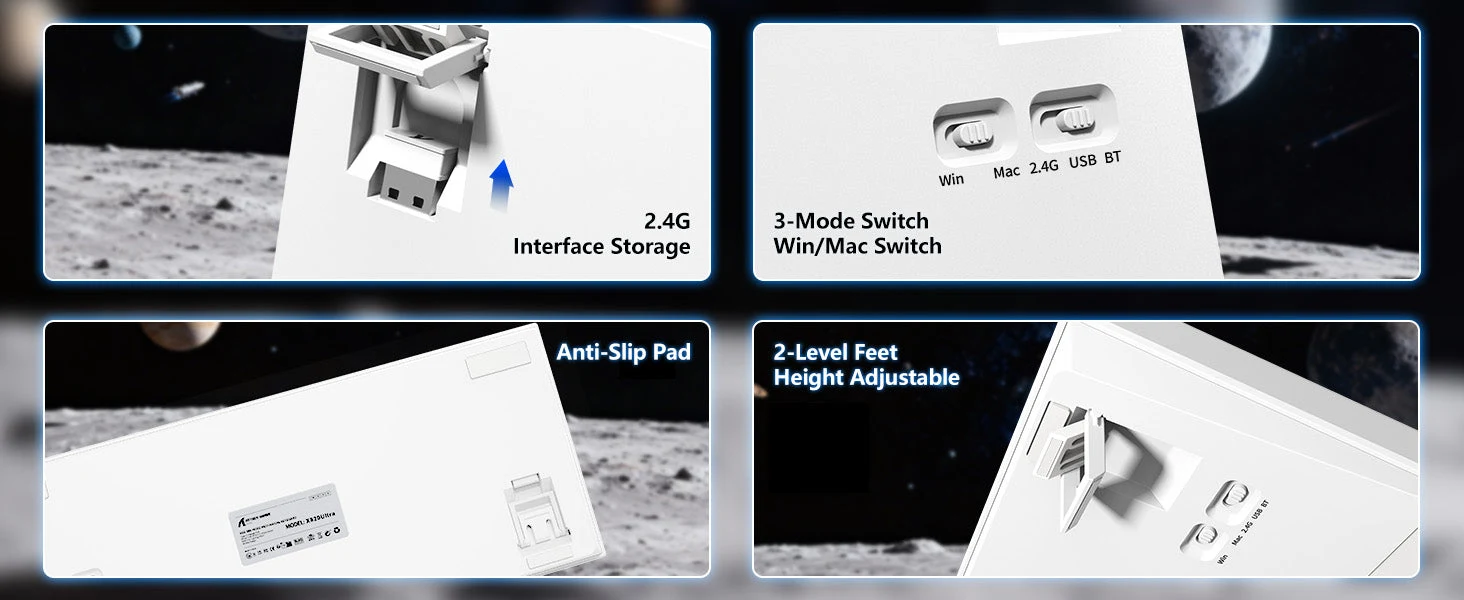
- Bluetooth 5.1, 2.4 GHz wireless and USB-C
- Hot-swappable 3-pin and 5-pin sockets
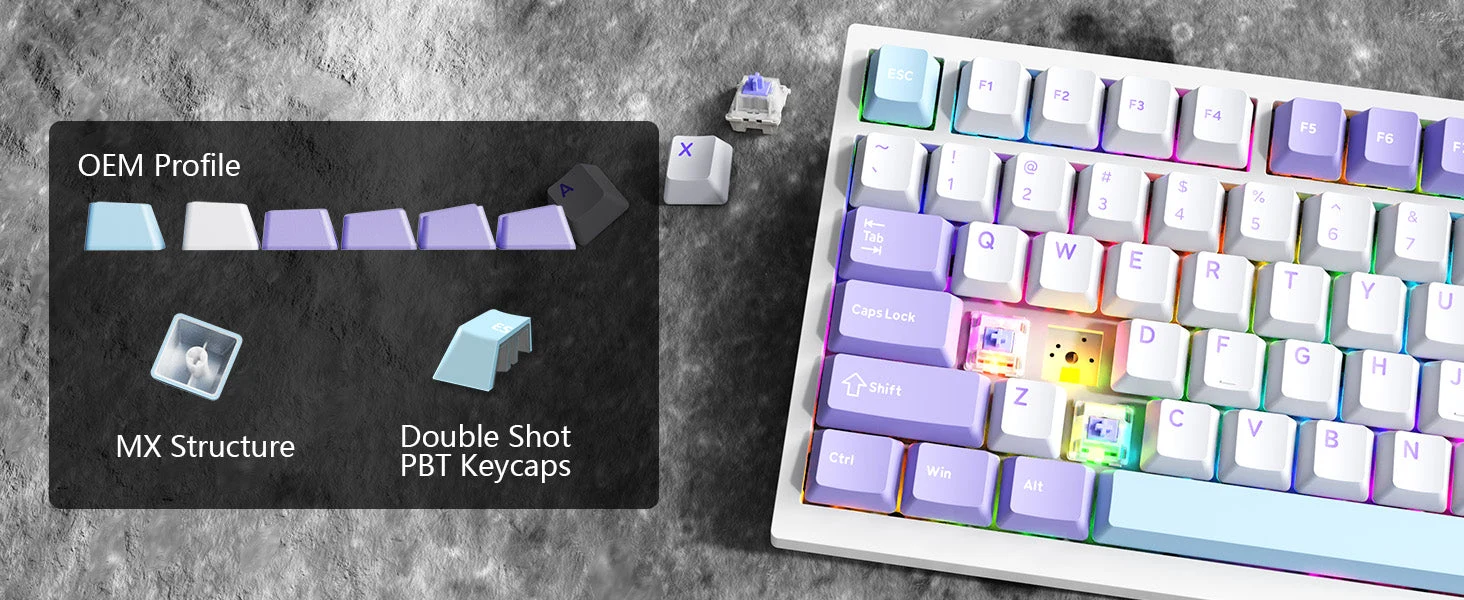
- South-facing RGB and double-shot PBT keycaps
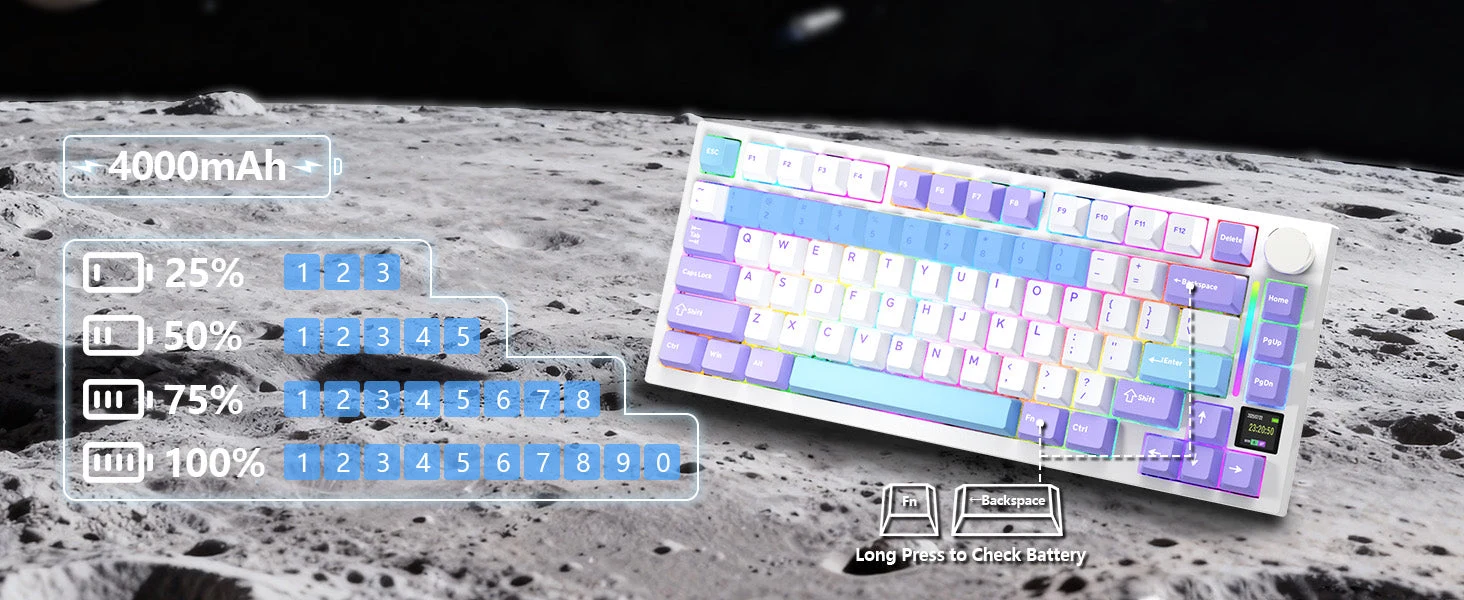
- 4,000 mAh battery
In stock
Online ordering is currently unavailable.
Technical specifications
Manufacturer model specifications
- Model
- X820 ULTRA
- Layout
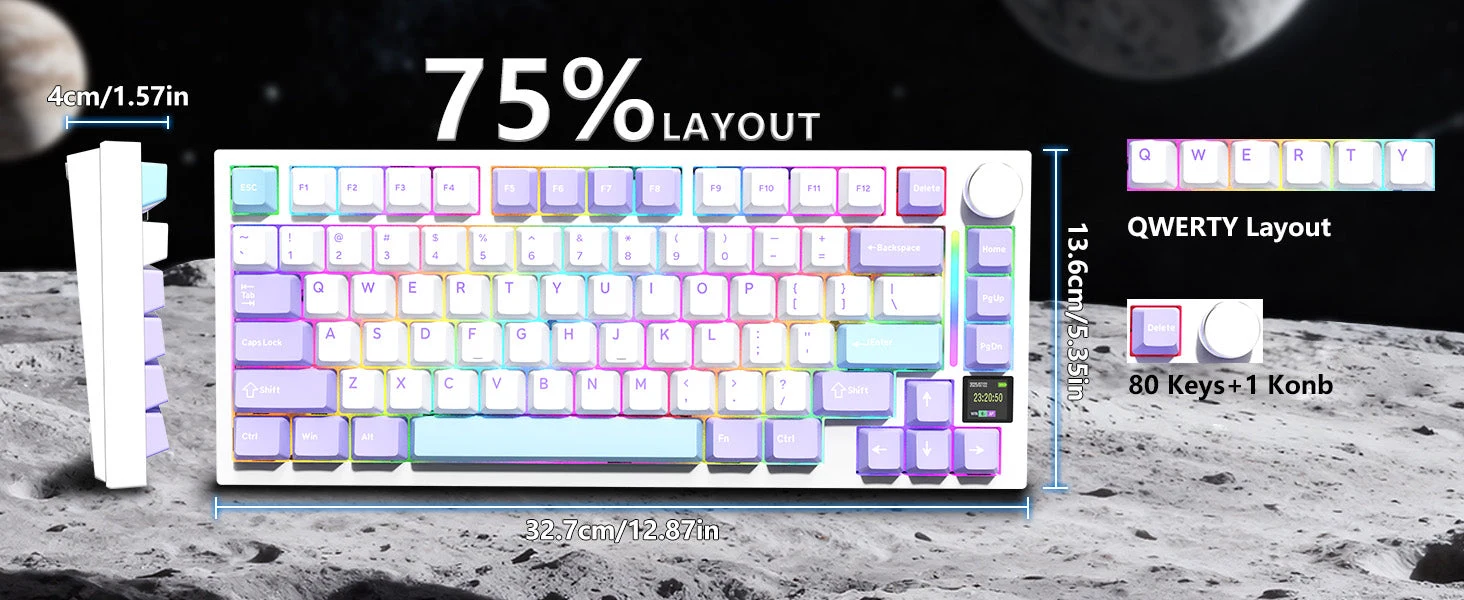
- 75% ANSI
- Key amounts
- 80 keys+1 Knob
- Screen
- 0.85 Inch TFT Smart Display
- Connectivity
- 2.4G Wireless/Bluetooth/USB-C Wired
- Hot swappable
- 3/5 pin switches compatible
- Backlight
- 16 Million RGB
- Switch type
- Shark Switch/Gift Switch
- Mounting type
- Upgraded Gasket
- Sound absorbing foam
- 5 Layers
- Pcb design
- Single key Slotted 1.2mm PCB
- Battery capacity
- 4000mAh Li-battery
- Keycap
- PBT Keycaps in OEM Profile
- Compatible
- PC,Mac,Smartphone,Tablet
- Dimension
- 327*136*40mm
- Weight
- 0.8kg
Downloads
Screen and knob
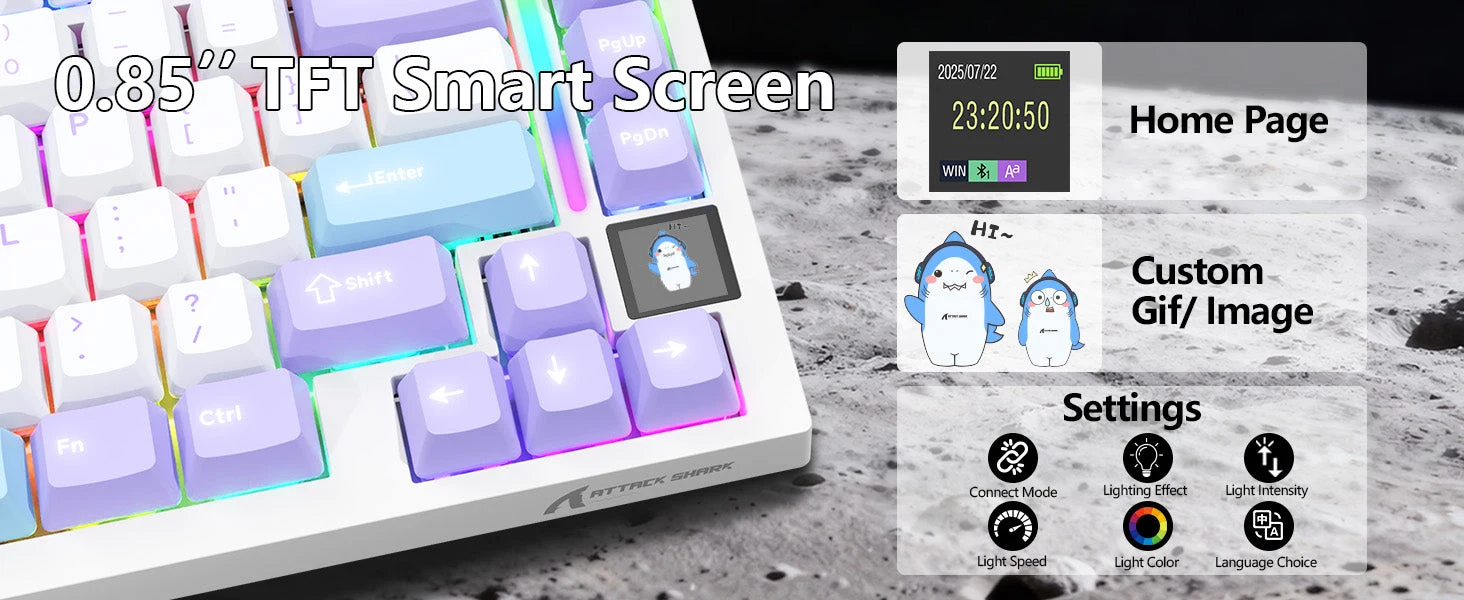
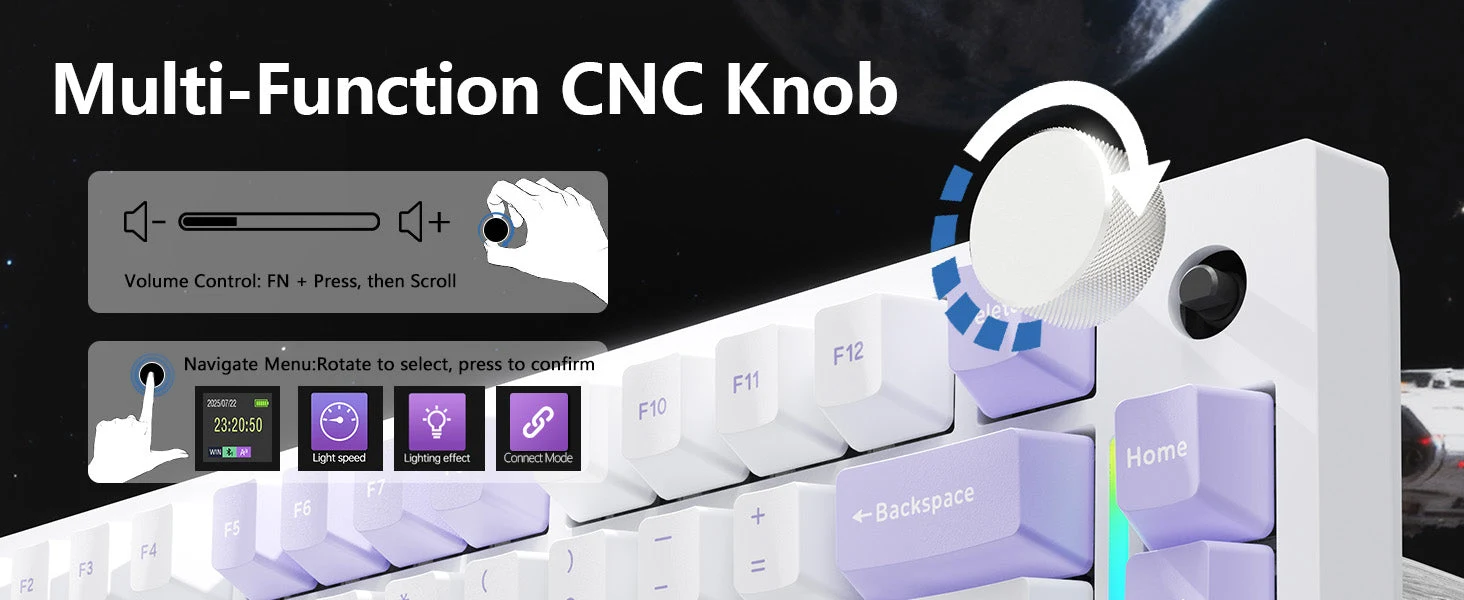
The 0.85-inch display shows battery status, connection mode, the time and lighting. Use the metal knob to move through menus or change settings.
Three ways to connect
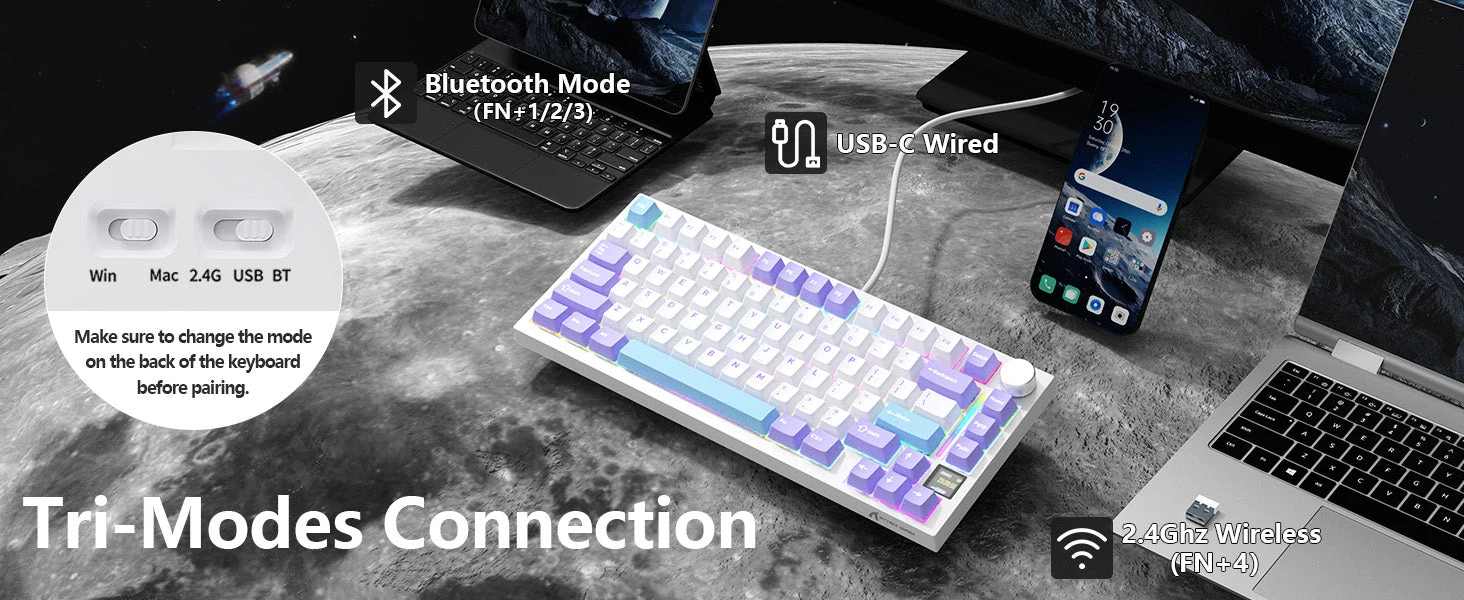
Use the USB-C cable, 2.4 GHz receiver or Bluetooth. The 4,000 mAh battery powers wireless use.
Switches you can replace
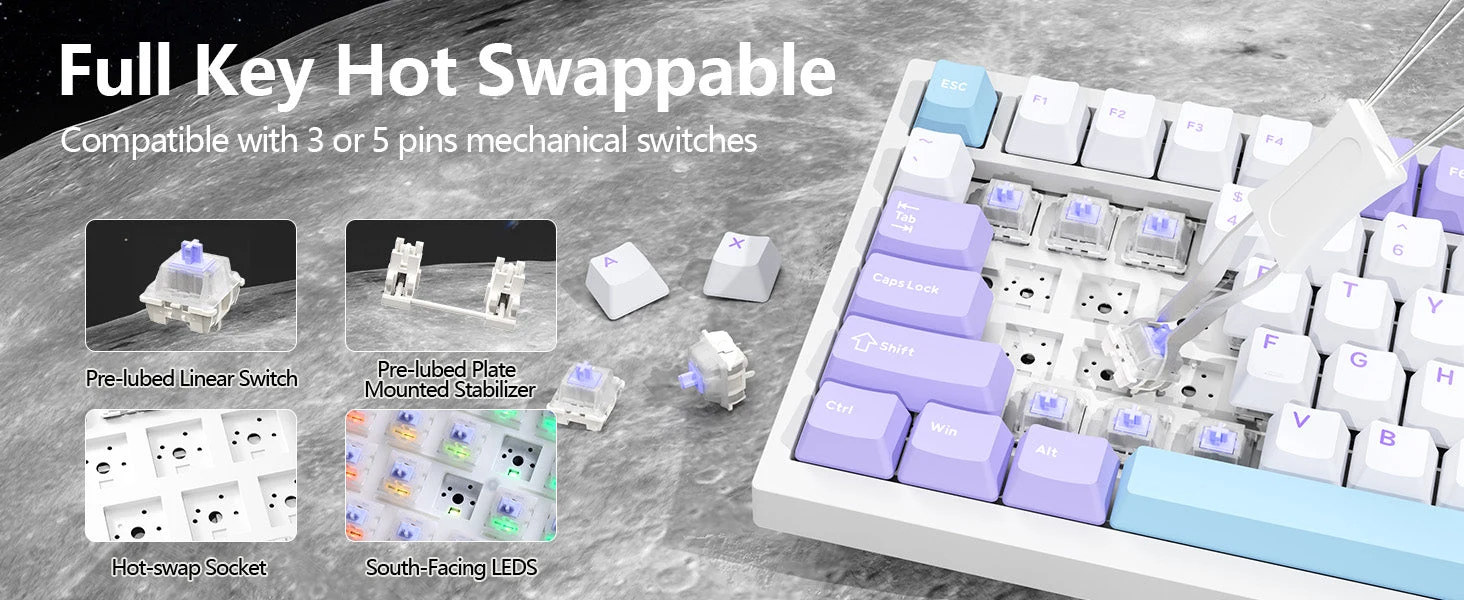
The slotted PCB accepts compatible 3-pin and 5-pin mechanical switches without soldering.
Custom lighting and keys
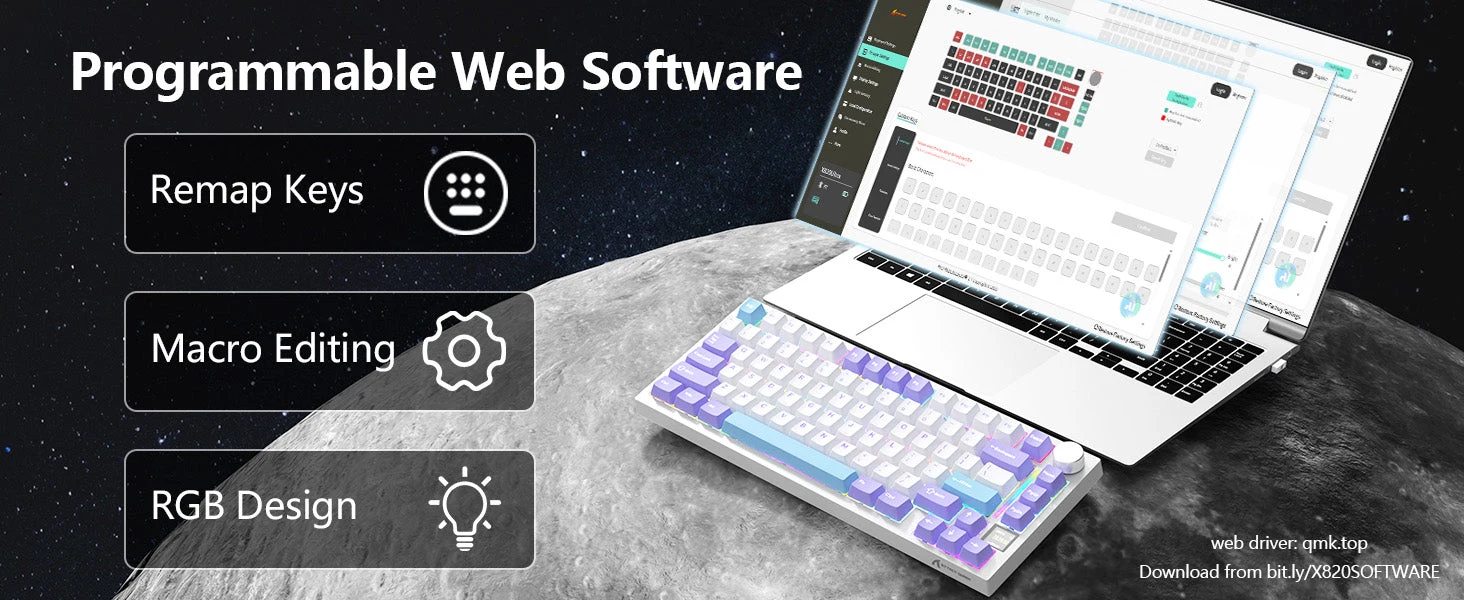
The web driver gives you controls for remapping keys, recording macros and editing the south-facing RGB backlight.
Compact layout
The 75% layout has 80 keys and a control knob, with OEM-profile PBT keycaps.
FAQ
How do I remap keys or customize the lighting?
Open the Web Driver or download the X820 Ultra software from the Downloads panel. Both provide controls for key assignments, macros and per-key lighting.
How do the Shark and Gift switches differ?
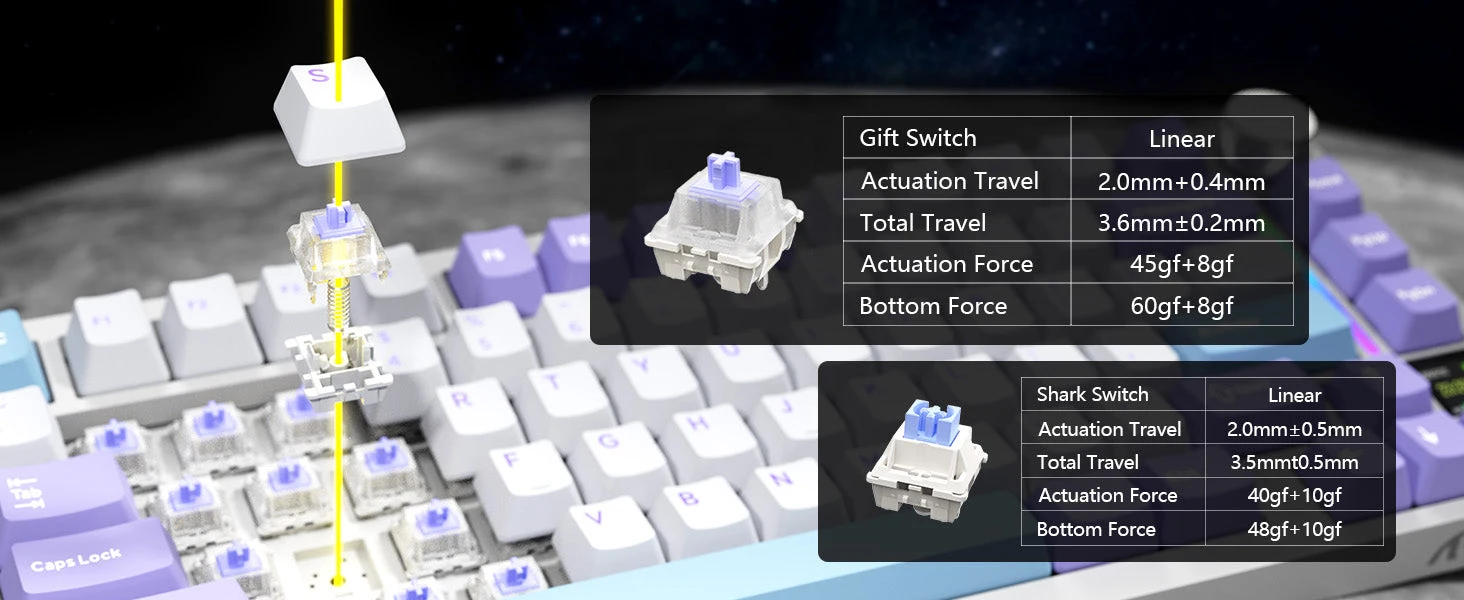
Both are pre-lubed linear switches. The Shark Switch takes a lighter press than the Gift Switch. Check which switch is supplied with your selected edition.
How do I connect the keyboard?
Use USB-C or the 2.4 GHz receiver, or select a Bluetooth profile with Fn + 1, Fn + 2 or Fn + 3.
What can I display on the TFT screen?
It shows the time, battery level, connection mode and lighting. Use the driver to upload a GIF, and turn or press the knob to navigate the keyboard menu.
Can I replace the switches without soldering?
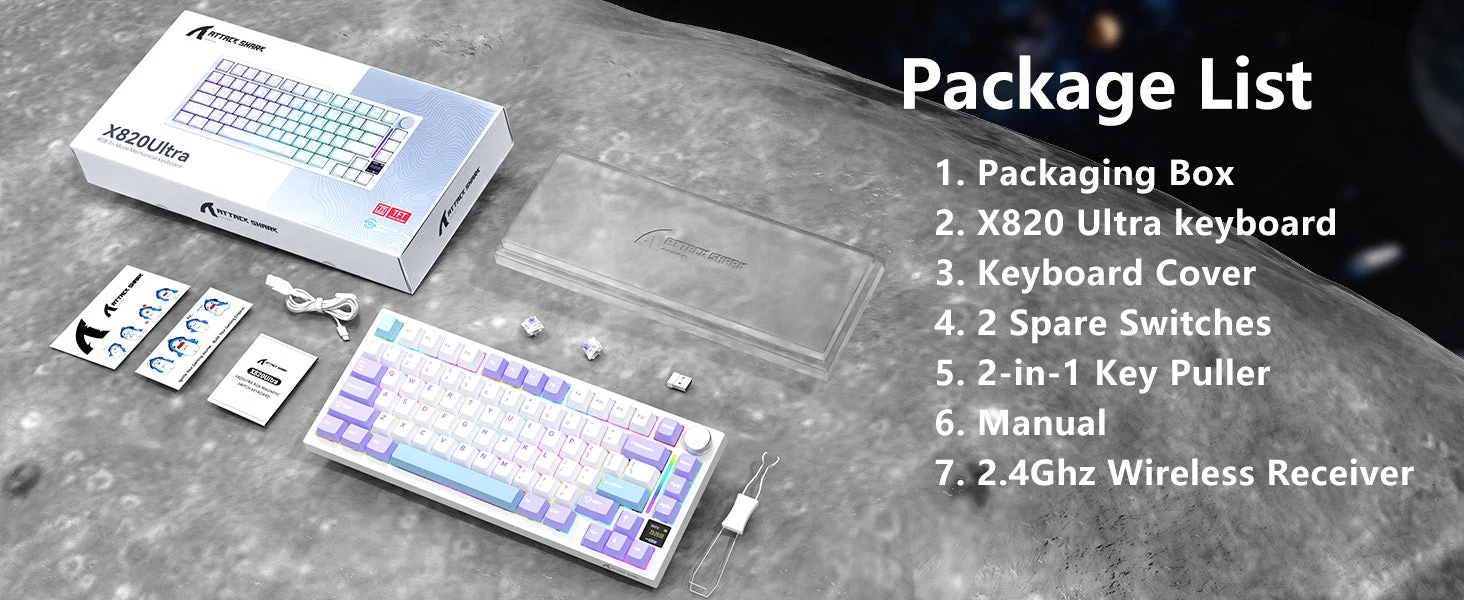
Yes. The X820 Ultra accepts compatible 3-pin and 5-pin mechanical switches. Use a switch puller and align the pins before inserting a replacement.
Product descriptions and technical specifications may change or differ by region. Please confirm the exact box contents and any technical details you rely on with customer support before ordering. Customer support
You may also like